nexwin77 Casino & Sportsbook Mobile App
Mobile access to nexwin77 lets you follow Liga 1 fixtures, place bets on Piala AFF matches, and join live-dealer tables from anywhere. We offer multiple installation paths—Android APK, iOS browser, and web app—so you can choose the method that fits your device and network conditions.

- Installin
- DownloadAPK
- LoginOTP Verification
Our mobile experience prioritizes speed and reliability. Whether you deposit via DANA, e-wallet, mobile banking, or a bank virtual account, your transactions sync across all devices. The app caches key data so you can check your account balance and recent bets even during network interruptions.
This guide walks through installation, compares app versus browser access, and covers common setup questions.
Installation paths for nexwin77
We at nexwin77 support three main ways to access our platform on mobile. Android users can download our APK directly; iOS users access nexwin77 through the mobile browser; and all users can install our web app as a home-screen shortcut. Each path has different setup steps and trade-offs in terms of speed, notifications, and offline capability.
Installation options
- Android APK: direct download, push notifications, offline cache
- iOS browser: no installation required, works on Safari and Chrome
- Web app: home-screen shortcut, responsive design, cross-device sync
Android APK installation
To install nexwin77 on Android, download the APK file from our website. Before installation, enable "Unknown sources" in your device settings under Security. This allows your phone to install apps from sources other than the Google Play Store. Once enabled, open the APK file and follow the on-screen prompts. The installation takes a few seconds and does not require a Google account.
After installation, open nexwin77 and log in with your account credentials. If you do not yet have an account, you can register directly in the app. Your first login may take slightly longer as the app downloads essential data. Subsequent launches are faster because nexwin77 caches match schedules, payment methods, and account information locally.
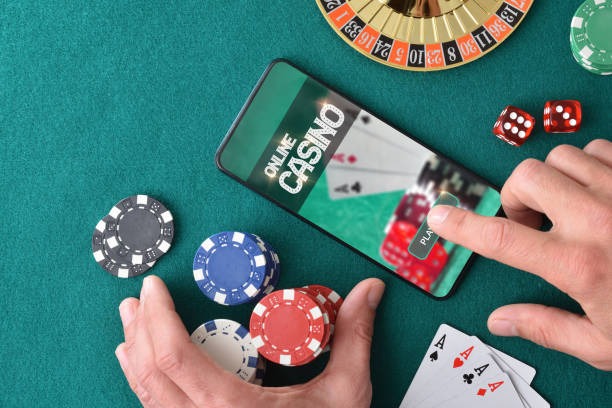
iOS and web-app access
iOS users do not need to install an app. Instead, open Safari or Chrome and navigate to nexwin77.app. The mobile browser automatically detects your device and loads the responsive design. You can bookmark the site or add it to your home screen as a web app. To add a home-screen shortcut on iOS, tap the Share button, select "Add to Home Screen," and choose a name. The shortcut opens nexwin77 in full-screen mode, giving it an app-like appearance.
Web-app access works on any device with a modern browser. Your login session persists across visits, so you do not need to re-enter credentials each time. Deposits via DANA, e-wallet, mobile banking, local payment, online payment, e-wallet, mobile banking, local payment, online payment, or e-wallet are processed the same way whether you use the app or browser. Withdrawals to your verified payment method follow the same verification and processing timeline.
Step-by-step setup for nexwin77
- Download: For Android, download the APK from our website and enable Unknown sources in Settings. For iOS or web, open Safari or Chrome and go to nexwin77.app.
- Install: On Android, open the APK file and confirm installation. On iOS or web, bookmark the site or add it to your home screen.
- Register or log in: Create a new account or sign in with your existing credentials. Complete KYC verification if prompted.
- Add a payment method: Link your mobile banking, local payment, online payment, or bank account. Make your first deposit and start exploring football markets, live-dealer tables, or slot games.
App versus browser: trade-offs
The Android APK offers push notifications for match updates and promotional alerts, offline access to cached data, and slightly faster load times because the app stores assets locally. The browser and web-app versions require an internet connection but work on any device without installation. Both paths sync your account in real time, so your balance, bet history, and payment methods are identical whether you access nexwin77 via app or browser. Choose the Android APK if you want notifications and offline browsing; choose the browser if you prefer not to install software or use iOS.

Device compatibility
Our nexwin77 app runs on Android 7.0 and later. Most devices released in the past five years meet this requirement. The web app works on iOS 12 and later, as well as any Android device with a modern browser such as Chrome, Firefox, or Samsung Internet. If your device is older or runs an unsupported OS version, use the browser version instead. We recommend a stable internet connection (WiFi or 4G) for the smoothest experience, though the app can function on slower networks with occasional delays.
Troubleshooting common installation issues
If the APK fails to install on Android, verify that Unknown sources is enabled in your device settings. Some devices require you to enable this permission per app rather than globally. If you see a certificate warning, this is normal for APK installations outside the Play Store; tap "Install anyway" to proceed. If the app crashes on launch, clear the app cache by going to Settings > Apps > nexwin77 > Storage > Clear Cache, then restart the app. If you cannot download the APK, check your internet connection and ensure your device has at least 100 MB of free storage. For iOS or web users, clear your browser cache and cookies, then reload nexwin77.app. If login fails, verify your username and password, and check that your account has not been suspended due to KYC verification delays.
Data, permissions, and account security
The nexwin77 app requests permission to access your device's internet connection and storage. We do not access your contacts, camera, or location without explicit consent. Your login credentials are encrypted in transit and stored securely on your device. We recommend using a strong, unique password and enabling two-factor authentication if available. When you log out, your session ends immediately, and cached data remains on your device for offline reference only. If you lose your device, log in to nexwin77 from another device and change your password to prevent unauthorized access. Your account balance, transaction history, and payment methods are protected by our standard security practices and are not stored in plain text on your device.
Payment and withdrawal on mobile
Deposits on nexwin77 via mobile work the same as on desktop. Select your preferred payment method—e-wallet, mobile banking, local payment, online payment, e-wallet, mobile banking, local payment, online payment, e-wallet, or mobile banking—and follow the payment gateway's instructions. Your funds appear in your nexwin77 account within the timeframe specified by your payment provider. Withdrawals are processed to your verified payment method and subject to standard verification windows. The mobile app displays your transaction history, pending withdrawals, and account balance in real time. If a withdrawal is delayed, check your account status and contact support if you have questions.
Accessing nexwin77 from different locations
Our services on nexwin77 are available only where local law permits. If you travel to a jurisdiction where online wagering is prohibited, you will not be able to access your account or place bets. We do not offer our services in jurisdictions where such activities are restricted. By using the nexwin77 app or website, you confirm that you are accessing our platform from a jurisdiction where such services are legal. Users are responsible for verifying that their access and use comply with the laws of their own jurisdiction.